To better understand the domain, the design team and I spent a great deal of time in the ‘wild’ observing video conferencing users and the IT administrators that support them. The photos in this area are from those early field visits.
MY CONTRIBUTION
- Planned Research and Facilitated Site Visits
- Facilitated Analysis Meetings
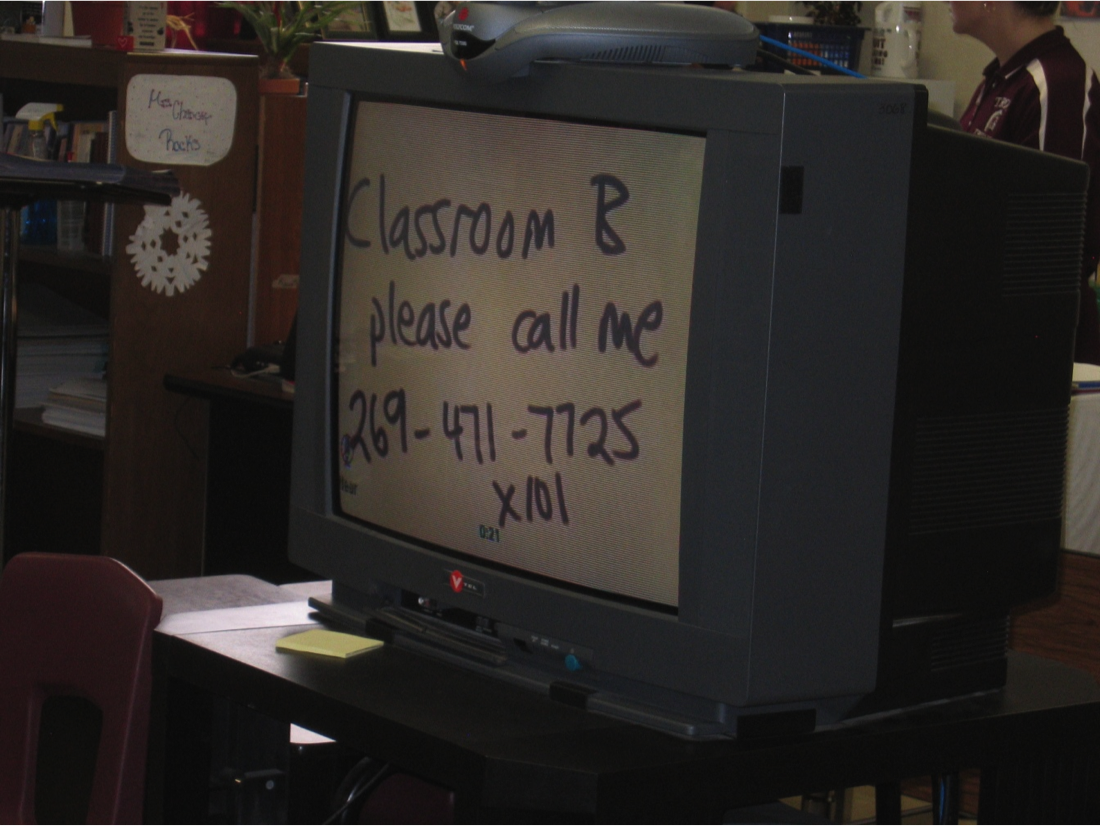
Sending Up a Flare for Help...!
During one of our visits to a middle school, a teacher on the video call had muted her microphone but forgot how to un-mute herself. No one on the call could hear her ask for help. Eventually, she wrote a note on a piece of paper and put it over to the camera hoping the support person would call her.
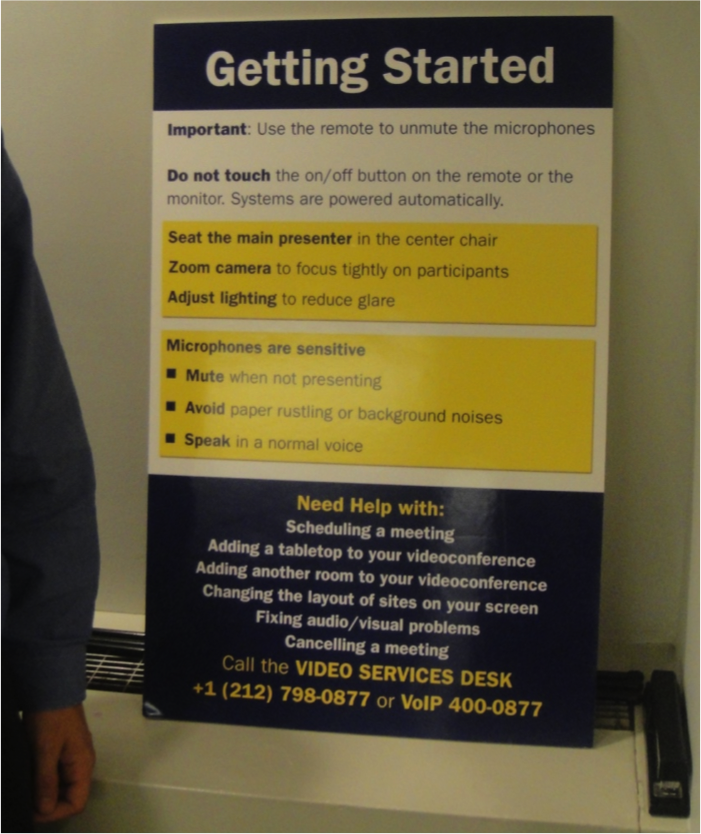
How to place a video call. Step 1, read the big poster.
At one of our largest customer sites, we discovered enormous posters like this one in every video conference room. We were astonished to learn that the IT administrators had placed them there because they were constantly receiving supports calls from their customers asking how to interact with the system. This evidence showed that the current solution was difficult to use and learn since people had to be reminded by a large poster at the front of the room.